
To disable the protection on specific page or URL this can be done by 3 simple and easy steps:
1- Open the Copy protection settings page from your dashboard
2- Click on the Exclude tab at the top
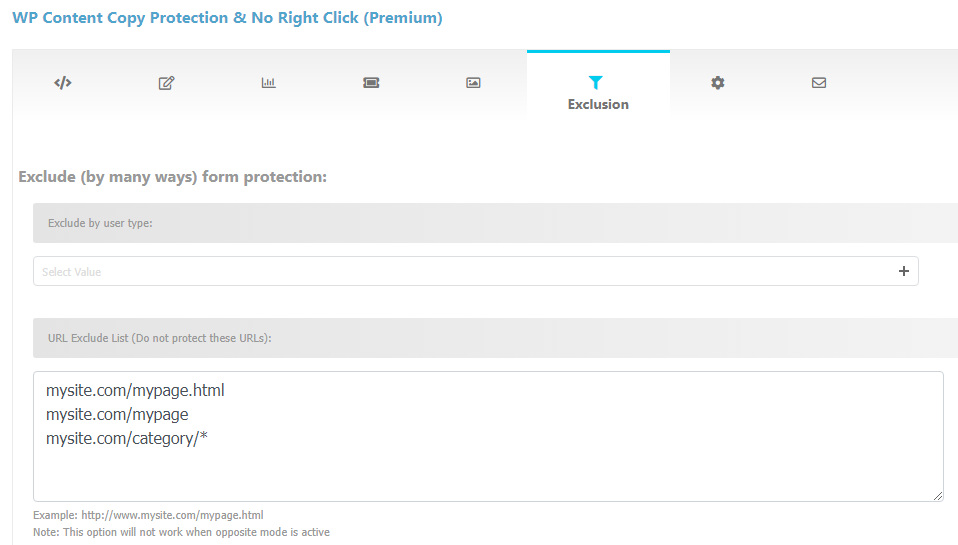
3- Enter your URL’s to Exclude
The best case is to write your URL’s without any prefix like the screenshot below
Also,
Please enter URL’s line by line
To use bulk exclusion please put /* at the end of any URL
Example: mysite.com/cart/*
 4- Click Save button



Looks like a great product, the WordPress Visitor stats plugin… Does it happen to have an external API? A way to call it with REST, and get the data back for other dashboard type applications?
Thanks David,
There is no external API’s in our products
Hi ,
I am using your free plugin for my website, And I want to buy the premium version,
Please let me know that your discount price $ 29 is for unlimited domain?
You can use one license for two websites..