

How To Show This Option:
login to your wp-admin and goto settings >> related posts all in one >> select the first mode
In this mode the related posts to your content will be displayed as a list of items row by row as a list, each row (post) contain an image ant title and a small excerpt, you can change the values for those elements to mach your needs as you like, at the options block you can see that there is a default and best values web prefer for each option, we recommend to let take the default values to get the best view.
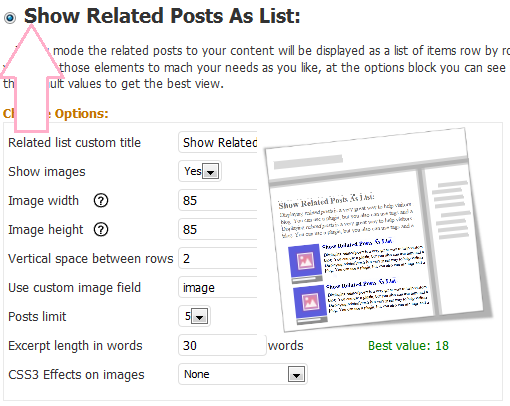
how to show a list of related posts
screenshot:
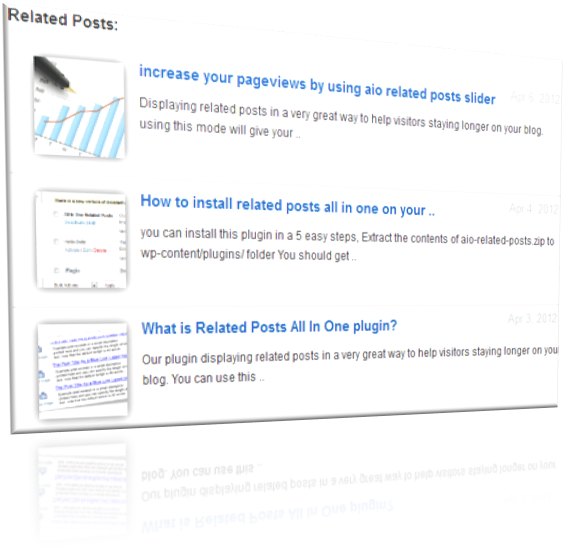
You can control CSS3 Effects on images and excerpt lenght and show/hide images or any other options too..
thank you
movie Captain America: Civil War 2016 streaming



Hello I just instal the wp plugin and i would like to know, how to show the latest by day and month post? Also is there a way to see related posts by the same category?
Is there a way to fix it? I want my visitors to see, the latest post, not shuffled post and past posts.
Thanks in advance
Amfie
look
our plugin show the “latest related” posts at the end of the post, so if you have a new post related to the current posts it will have a big priority to appear more than the old related posts
thanks
Also is there a way to show related post bellow main post?
Cause now in my site, show inside the post, under the end of post.
See here: http://goo.gl/2BrSX
Thanks
no
this thing must be harcode at the theme
Hi,
I love the plugin. Great job! It has earned me few additional views in the first seconds after activating it. Great.
There’s only one problem I have with this plugin. When I set “Use custom image field” to “image”, the photo is displayed, but the link appears above the title which looks very messy. If I set it to “Thumbnail”, which is my custom field, I can’t see the photo because the relative path in there is added to the post’s permalink.
Could you tell me how to change code to either:
– remove the links to images appearing above titles, or
– change the base urls for custom images to domain.com/
Thanks in advance for help,
Cez.
just use this plugin to update all urls in your database
dont forget to backup your database first
plugin is: “Velvet Blues Update URLs”
install it
use it correctly
click update
enjoy, no other steps
i will be happy if you make a donation to help us from the settings page of related posts aio plugin
Hello, I have installed the plugin “Related Posts Widget 123 withThumbnails” and placed it in the sidebar for widgets, but I don’t see anything on my posts’ individual pages. Am I doing something wrong?
After checking your website and you posts i can see that the plugin is working correctly without any problem
I’m happy because you can solve the problem
I had tags. It just didn’t work at forst for some reason but after a couple hours it was working fine. Sorry for the delay in response. Thank you for following up.